
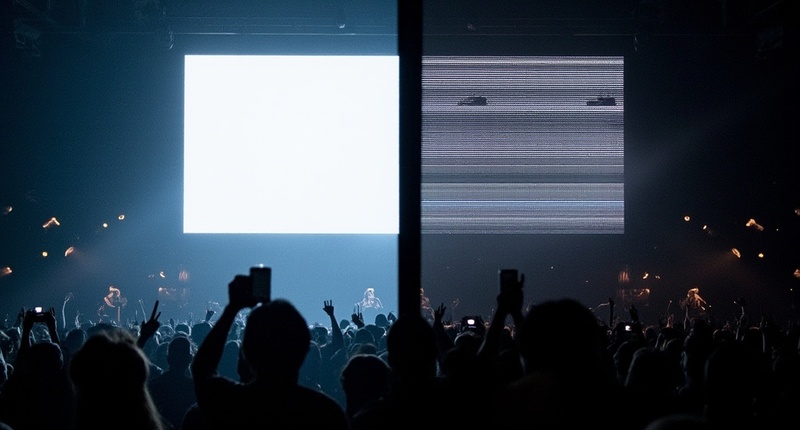
If you’ve ever shot an LED wall and found horizontal black bands ruining your footage—bands that were entirely invisible to your naked eye at the venue—you already know the frustration. The screen looked stable live. Your camera’s LCD even looked fine. But the final files were wrecked.
The culprit isn’t defective hardware; it’s a fundamental timing mismatch between how LED screens emit light and how digital cameras sample it. Two specs determine whether this mismatch destroys your shot—refresh rate and scan method—yet equipment vendors routinely conflate them, making the problem harder to solve than it should be.
Let’s break down the physics, cut through the jargon, and build a practical framework for clean capture.
Why LED Screens Look Fine Live but Flicker on Camera
Unlike traditional lighting, LED screens don’t produce continuous light. Instead, each pixel cycles on and off thousands of times per second using pulse-width modulation (PWM). Because your visual system integrates these rapid pulses into steady brightness, you never notice the individual cycles. A camera, however, samples a discrete exposure window. When that brief window captures some LED rows in their dim phase and others at peak brightness, the sensor records those phase differences as horizontal banding.
This affects cheap panels and expensive ones equally. The difference is in the specifications.
The issue is especially critical in customer-facing installations—high-end retail, venues, and transparent LED displays deployed for visual impact. In these environments, the cameras are often your customers’ smartphones. That spontaneous filming and sharing is the most valuable kind of exposure: organic, authentic, and free.
But the moment those shared photos and videos show unexplained black lines across the display, the sharing stops. Nobody posts content that looks defective. Scan-line artifacts—a routine problem on conventional dynamic-scan LED screens—directly suppress the social reach that these installations are intended to generate. If your display will be on camera, whether by a cinema rig or an iPhone, the flicker problem is your problem.

Refresh Rate vs. Scan Method
Refresh Rate Is PWM Frequency, Not Frame Rate
A TV’s 60 Hz refresh rate means the full image redraws 60 times per second. LED screens work differently. Their “refresh rate”—typically 960 Hz, 1920 Hz, 2880 Hz, or 3840 Hz—means each individual LED pixel cycles through its on/off state that many times per second. This is a PWM frequency. The content frame rate (24/30/60 fps) is a separate parameter.
Scan Method Determines What You Actually Get
Two panels both rated 3840 Hz can perform very differently on camera. The reason: scan method.
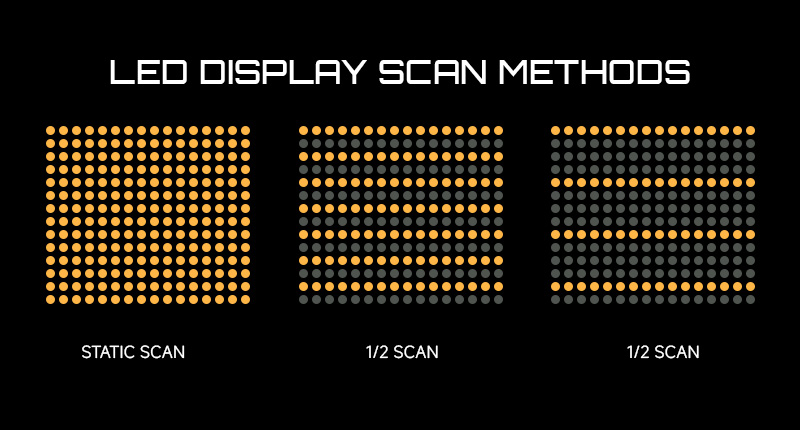
Most LED panels do not update every row simultaneously. They update sequentially in groups:
• 8-scan: 8 row groups updated in sequence
• 16-scan: 16 row groups updated in sequence
• 32-scan: 32 row groups updated in sequence
• Static scan (1/1): all rows updated simultaneously (whole-frame refresh)
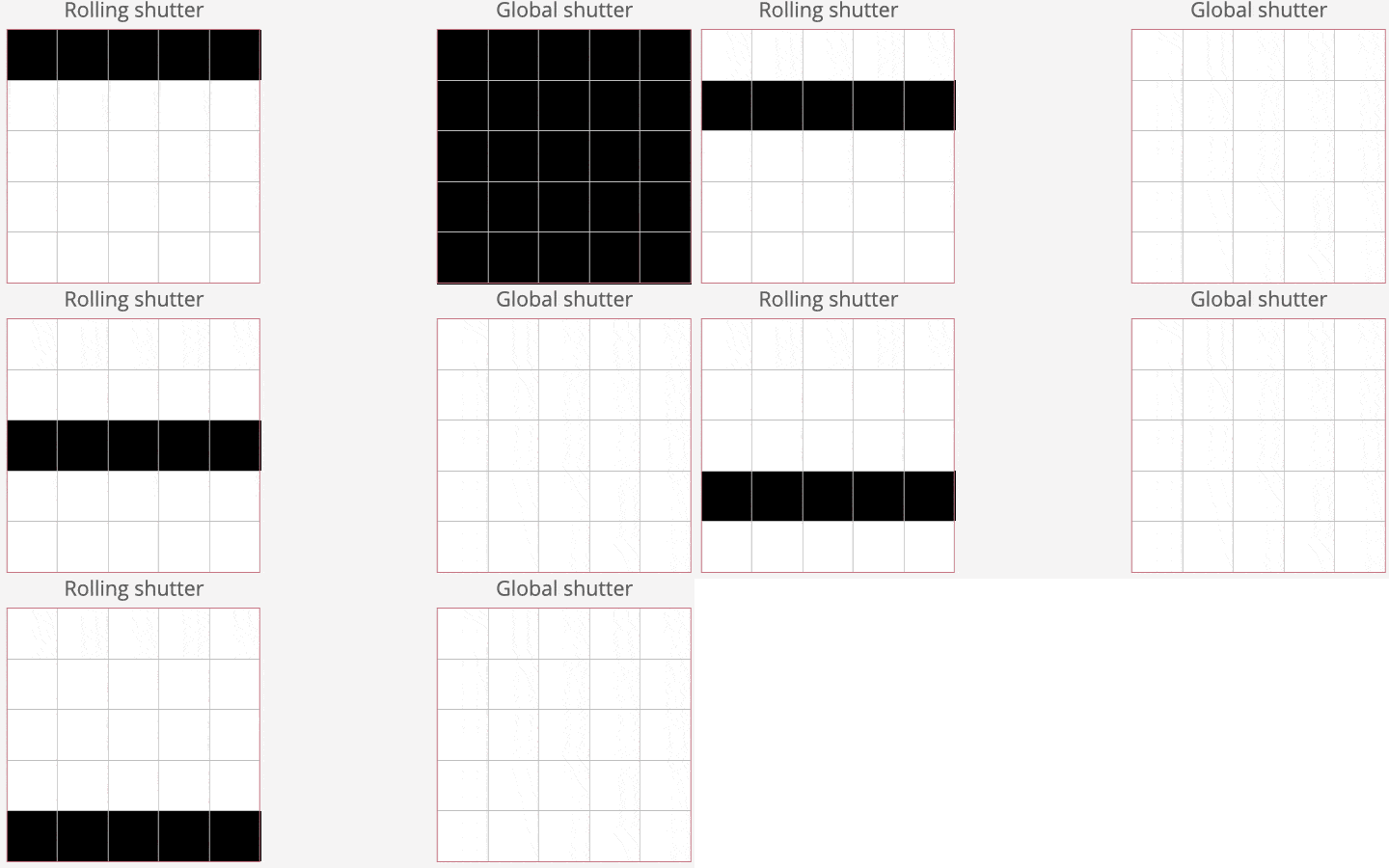
When rows update sequentially, each row is at a different point in its brightness cycle at any instant. A rolling-shutter sensor captures these phase differences as horizontal bands. A static-scan panel eliminates this row-by-row timing inconsistency entirely.
Note: Static-scan architecture removes the root cause of scan lines at the hardware level, but it requires more driver circuitry and typically carries a cost and power premium over multi-scan equivalents.
Why Rolling Shutter Makes It Worse
Rolling-shutter sensors read pixels row-by-row from top to bottom. A typical full-frame readout takes roughly 1/60 s. During that window, a 3840 Hz LED panel cycles through dozens of PWM pulses. If some rows in the sensor’s readout capture the LED at its dim phase, those rows record darker—producing banding.
Global-shutter cameras (e.g., RED V-Raptor, ARRI Alexa, Blackmagic Pocket Cinema Camera) expose all pixels simultaneously and are far more tolerant of LED timing. If you have one, you have significantly more margin regardless of panel specs.
Slow-motion capture amplifies the problem. At 120 fps or 240 fps, each frame’s exposure window is extremely short—more likely to land on the LED’s off phase. Panels that perform fine at normal frame rates can flicker badly in high-speed capture.
The Safe Shutter Speed
Effective Scan Frequency
For row-scanning panels, the scan method divides the refresh rate: Effective scan frequency = Refresh rate ÷ Scan count
For clean capture, your exposure time must be long enough to average out at least one full effective-scan cycle. A safe rule of thumb in standard photography notation: Do not let your shutter speed denominator exceed the effective scan frequency figure.
In other words, exposure time ≥ 1 ÷ effective scan frequency.
| Verversingssnelheid | Scanmethode | Effective Scan Frequency | Safe Shutter Speed (Denominator) |
| 1920 Hz | 16-scan | 120 Hz | 1/120 s and slower |
| 1920 Hz | 8-scan | 240 Hz | 1/240 s and slower |
| 3840 Hz | 16-scan | 240 Hz | 1/240 s and slower |
| 3840 Hz | 8-scan | 480 Hz | 1/480 s and slower |
| 3840 Hz | Static scan | 3840 Hz | 1/1000 s and slower |
Static scan does not divide the refresh rate across row groups—you get the full benefit of every hertz. A true 3840 Hz static-scan panel offers an effective scan frequency of 3840 Hz, keeping shutter speeds up to 1/1000 s and beyond clean across standard frame rates.
Practical Shutter Guidance
If you are working with a true 3840 Hz static-scan panel—like our OneDisplay O-Raster series around—you gain an enormous margin for error:
Standard video (24/30/60 fps):
• 1/50 s – 1/250 s: clean in all normal conditions
• 1/500 s: clean in most situations; fast camera movement may show minor effects
• 1/1000 s and faster: usable, but may show slight brightness variation in extreme conditions
Slow-motion (120 fps+):
• 1/250 s – 1/500 s: recommended as a baseline
• Test your specific camera—sensor readout speed varies significantly
Remember, these are engineering guidelines, not guarantees. A 60-second test with your actual camera and settings before any shoot is the only way to be certain.
High Refresh Rate Alone Doesn’t Fix It
A 7680 Hz panel with 32-scan performs the same on camera as a 3840 Hz panel with 16-scan—both yield 240 Hz effective frequency. A 3840 Hz static-scan panel outperforms both. When evaluating LED panels for camera work, you need two numbers: refresh rate and scan method. A spec sheet listing only refresh rate is incomplete.
The Practical Solution Guide
1. Hardware Selection (What to buy or rent)
• Concert touring, live events, music production: For productions that prioritize camera performance over raw panel cost, static-scan architecture at 3840 Hz is the recommended baseline. It covers standard touring camera setups (ENG through cinema) without requiring controller adjustments or external sync.
• High-end retail and venue installations: Transparent LED screens are deployed for visual impact in public spaces where smartphones are the primary cameras. Static-scan architecture ensures that Instagram stories, TikTok clips, and WeChat moments captured in front of your display come out clean, preserving the organic social reach the installation was designed to generate.
• XR virtual production: Genlock synchronization is standard. The LED refresh cycle locks to the camera’s frame shutter signal, largely eliminating flicker regardless of individual panel scan specs. This requires compatible hardware on both sides and is non-negotiable for ILM-style volumes.
2. On-Site Controller Tuning (What to dial in)
• Use controllers with dedicated flicker-reduction or camera-sync modes. NovaStar HDR series, Brompton Tessera, and Calibre processors all support timing parameters designed for on-camera performance. Set the LED output frame rate to match or be an even multiple of the camera’s recording frame rate (e.g., 50 Hz for PAL, 60 Hz for NTSC).
• Match LED output timing to camera frame rate: Most controllers set output frame rate independently from content frame rate. If you shoot 30 fps, set the LED output to 60 Hz (or 30 Hz if 1:1 sync is available).
• Enable “Camera Mode” / “Flicker-Free” preset: Many modern processors (e.g., NovaStar) include a low-flicker display timing mode that adjusts PWM pulse timing for rolling-shutter tolerance. Menu labels vary by firmware version—contact the manufacturer’s support if you cannot locate the setting.
• Adjust duty cycle if available: A longer pulse duty cycle produces more stable on-camera brightness, at the cost of reduced peak output. You can sometimes compensate by increasing the panel’s master brightness setting.
3. Camera-Side Workarounds (What to shoot with)
• Shutter speed is the highest-impact free fix. Use the safe frequency table above as your starting point, then test.
• Global shutter makes a material difference. If renting cameras for a critical shoot with LED backgrounds, budget for a global-shutter body. The flicker-tolerance margin over rolling shutter is substantial.
• Anti-flicker modes. Most modern camera manufacturers include flicker-mitigation options in their menus (commonly labeled anti-flicker, flicker reduction, flicker-free, or similar). These adjust shutter phasing to avoid the LED’s dim interval. They are generally effective for static subjects and may introduce minor exposure variation with fast motion.
• Use ND filters to manage shutter speed indirectly. When you need a wide aperture for shallow depth of field but the panel forces you toward a dangerously fast shutter, adding ND to drop from, for example, 1/1000 s to 1/250 s is standard production practice.
4. Professional Sync
• Genlock: Broadcast-standard frame synchronization. A sync generator feeds a reference signal to both the LED controller and the camera, locking refresh to exposure. Required hardware: sync generator + LED controller with sync input + camera with external sync input (standard on many Sony, Panasonic, and Ikegami broadcast bodies).
• Software-based sync: Modern LED processors increasingly support network-based phase-lock protocols referenced to timecode. This is becoming common in virtual production workflows where the LED wall syncs to the render engine.
Common Scenario: 2880 Hz Rental Screen at a Concert
A photographer shoots a live show on a rolling-shutter mirrorless camera. The rental screen is 2880 Hz / 16-scan. Effective scan frequency: 180 Hz. At 1/1000 s—well above the safe 1/180 s threshold—a noticeable share of frames show scan-line artifacts.
Fix: A variable ND filter brings the effective shutter down to 1/250 s. Scan lines disappear. While 1/250s may introduce slight motion blur on fast-moving performers compared to 1/1000s, it is a necessary trade-off for clean LED footage; adjusting ISO and aperture ensures the exposure remains usable. When panel specs don’t give you ideal conditions, shutter-speed adjustment plus ND filtration is the fastest practical on-set fix.
What to Demand from Your LED Supplier
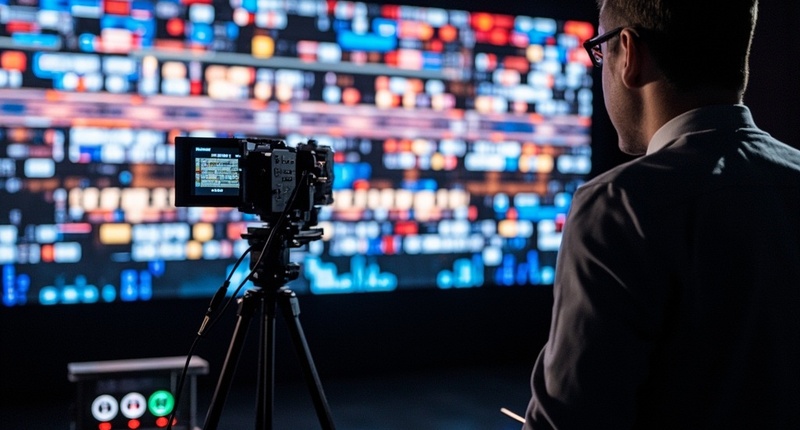
Ask for scan method. A spec sheet that says “3840 Hz” without scan architecture is incomplete. If the vendor cannot tell you the scan method or controller timing capabilities, that itself is a problem.
For camera-critical work: Static scan is the superior choice for cinema and broadcast cameras.
Run this 60-second field test before every shoot:
1. Set camera to manual mode at your planned shutter speed
2. Take a test frame of the LED screen
3. Check for horizontal banding
4. If present, drop shutter speed incrementally (or add ND) until clean—use that as your working speed
Ultimately
LED flicker on camera isn’t a mystery or a random defect—it’s a predictable physics interaction between PWM-driven emission and discrete camera sampling, and it has known engineering solutions.
Rather than chasing a single high-refresh number, you need to evaluate the whole equation:
1. Refresh rate: Higher is better, but not sufficient on its own
2. Scan method: Static scan is structurally superior for camera work, though it typically costs more than multi-scan alternatives
3. Shutter speed: Must be evaluated against effective scan frequency, not raw refresh rate
4. Camera architecture: Global shutter has significantly more tolerance than rolling shutter
5. Sync: Genlock eliminates the problem entirely in controlled production environments
If you shoot LED screens professionally, understanding these parameters makes you a better collaborator with LED techs. If you specify LED equipment, knowing this lets you procure correctly the first time and explain to clients why certain configurations perform differently. That knowledge is worth more than any single spec line item.
Frequently Asked Questions
Can you fix LED scan-line flicker in post-production?
No. If the camera sensor fails to record the LED’s light output during a frame’s exposure window, that data is permanently lost. While severe cases can sometimes be masked with digital blur or warping tools, the resolution is destroyed. Prevention on-set is the only true cure.
Does a higher refresh rate (like 7680 Hz) guarantee no flicker on camera?
No. Refresh rate is only half the equation. A 7680 Hz panel with a 32-scan architecture yields an effective scan frequency of just 240 Hz—the exact same on-camera performance as a 3840 Hz panel with 16-scan. You must know both the refresh rate and the scan method to predict camera behavior.
What about Moiré patterns? Are they the same as scan lines?
They are different phenomena but often appear together. Scan lines (banding) are caused by the timing mismatch between PWM refresh and the camera shutter. Moiré is a spatial interference pattern caused by the physical pixel pitch of the LED clashing with the sensor’s pixel grid. Reducing scan lines relies on timing fixes (shutter speed, static scan), while reducing moiré relies on optical fixes (defocusing the lens slightly, using diffusion filters, or changing focal length).